
QuickCMD
Mac menu bar app that turns shell commands into buttons
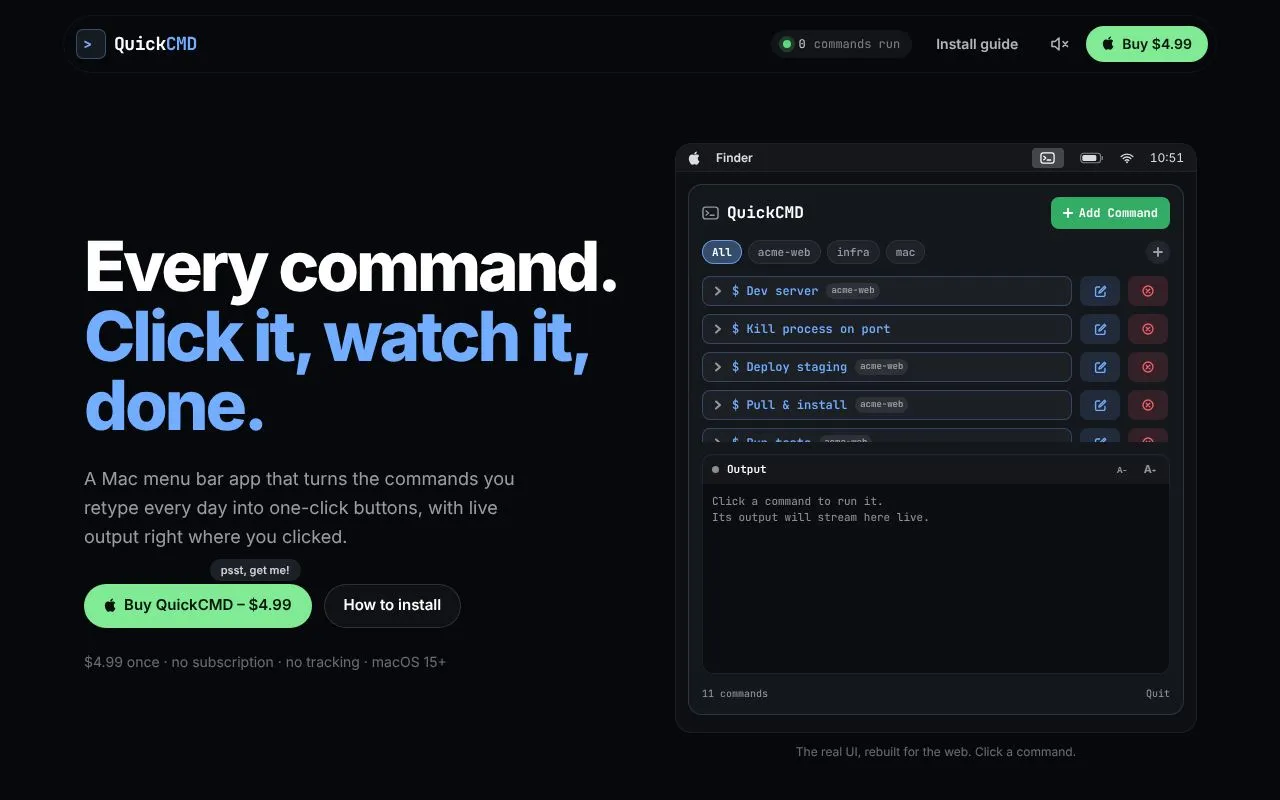
About QuickCMD
QuickCMD is a small menu bar app for macOS aimed at developers and power users who retype the same terminal commands every day. Instead of searching shell history, you save a command once and run it with a single click, watching the output stream live in colored text right in the popover.
Commands can be grouped into spaces for each project, each with its own working directory. Variables such as {{port}} let you reuse a command with different values, which are passed as environment variables rather than pasted into the script. Several commands can run side by side, a badge shows what is active, and stopping one ends the whole process tree it started. A notification appears when a command finishes or fails, and commands that need a password prompt or ssh can open in Terminal.app.
The app is a native Swift build under 1 MB, runs through your zsh login shell so PATH, nvm and Homebrew work, and makes no network requests. Commands are kept in a plain JSON file. It costs $4.99 once, with no subscription, and requires macOS 15 on Apple silicon.
Related tools
QuickCMD alternatives
Clair API
Live web data APIs that return structured JSON on demand

Decimen Optical Transfer
Send files between screens and cameras with animated QR codes

Pikstrapi
Editor visual y API para generar imágenes desde plantillas

claude-resets.com
Tracker for Claude Code usage limit resets and changes

Codeman
Self-hosted web dashboard for running AI coding agents

Forever Components
600+ animated HTML, CSS and JS designs to copy and adapt